Autosave
Configure automatic project saving to protect work in progress.
- Autosave periodically writes your active project to a temporary location. In the event of an unexpected crash or power failure, this backup allows you to recover unsaved work.
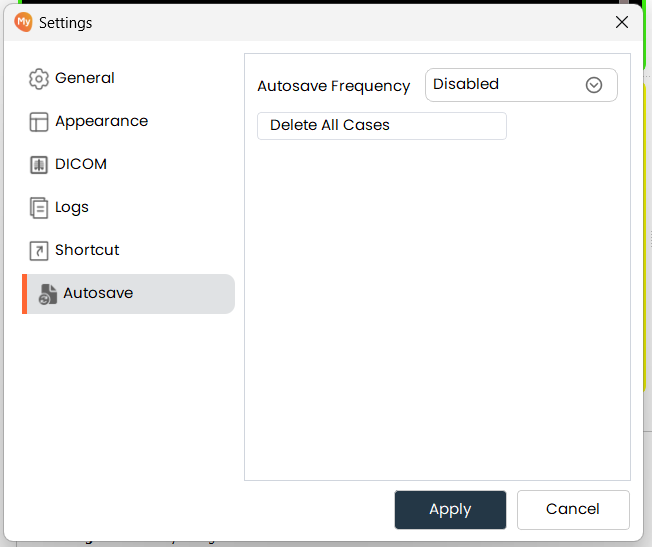
Autosave Frequency
-
Set how often (in minutes) MySegmenter automatically saves a backup of your project. A full project snapshot is written to the temporary folder at each interval.
- Note: We recommend keeping autosave enabled to protect your data from potential risks. Also, autosaving will only occur if there is any data to save.
All autosaved files can be found at:
C:\Users (username)\AppData\Local\Temp\MySegmenter\MysAutoSave
- Note: We recommend keeping autosave enabled to protect your data from potential risks. Also, autosaving will only occur if there is any data to save.
-
To clear all autosaved backups from the temporary folder, click Delete All Cases.