Anonymize DICOM
Remove or obscure personally identifiable information from DICOM files to comply with patient privacy requirements.
Steps
-
Click on Anonymize Dataset Button
- Click on the Anonymize Dataset button on the left sidebar. This feature is used to remove or obscure personal information from the DICOM files to protect patient privacy.
-
Close Current Project
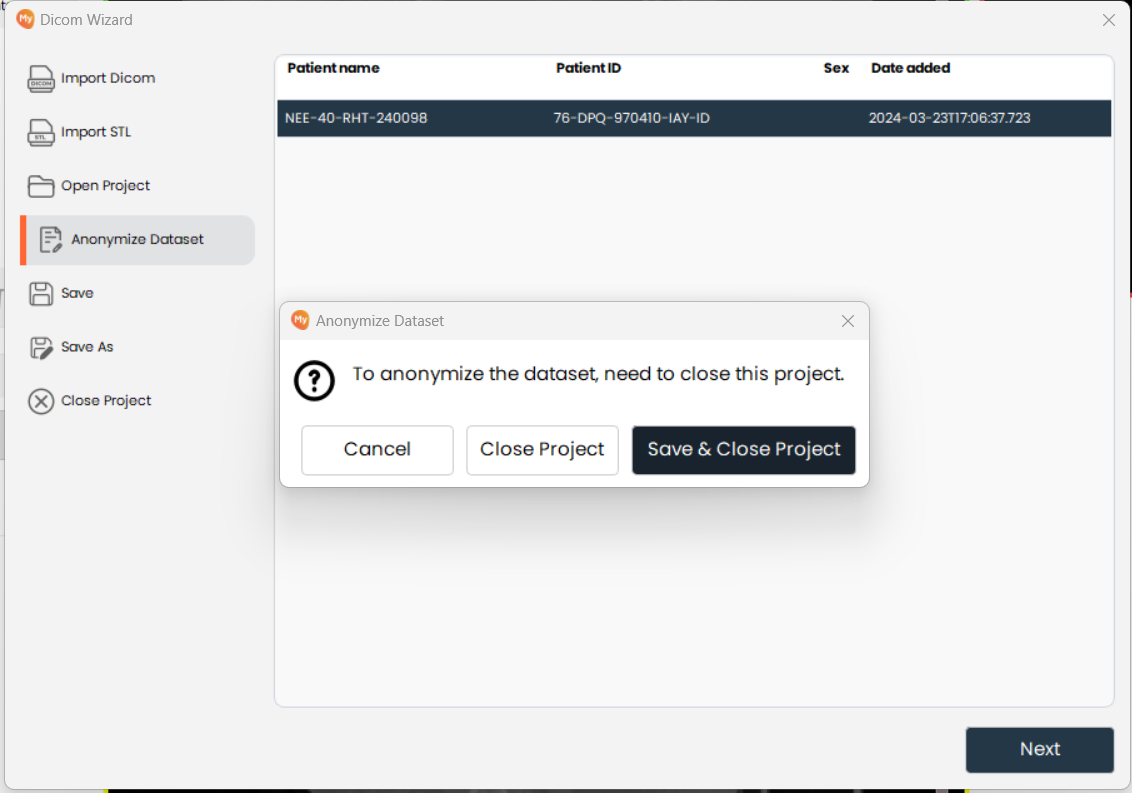
- Anonymization requires closing the active project first. You will be prompted to save any unsaved changes before proceeding. This safeguard ensures the anonymization process does not affect your current work.
-
Specify Anonymization Details
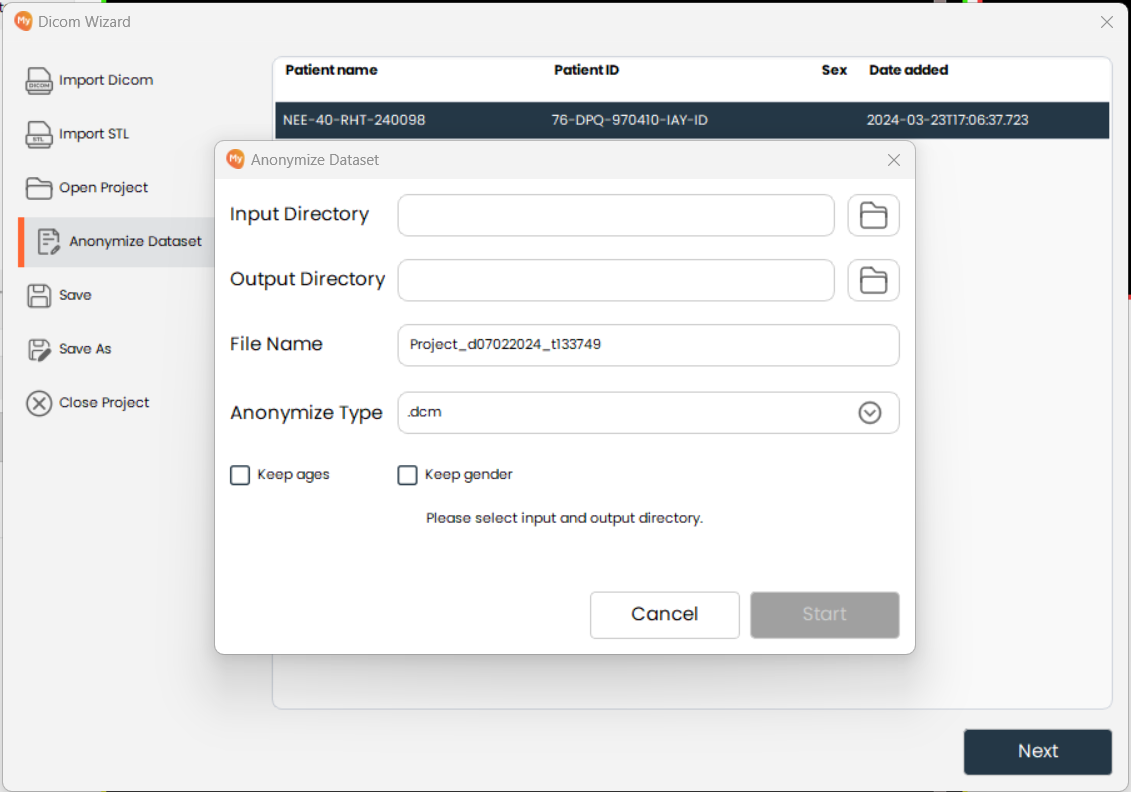
- Specify the input directory (source DICOM files), output directory (destination for anonymized files), output file name, and anonymization type. Optionally, retain patient age and gender fields if required for your workflow.
-
Start Anonymization
- Click on the Start button to begin the anonymization process. The software will process the files and create a new set of anonymized DICOM files in the specified output directory.