Open Project
Open a project by selecting the desired file.
Steps
Load Project
-
Click on Open Project Button
- Click on the
Open Projectbutton on the left sidebar. This will allow you to load previously saved projects, resuming your work from where you left off.
- Click on the
-
Select Project File
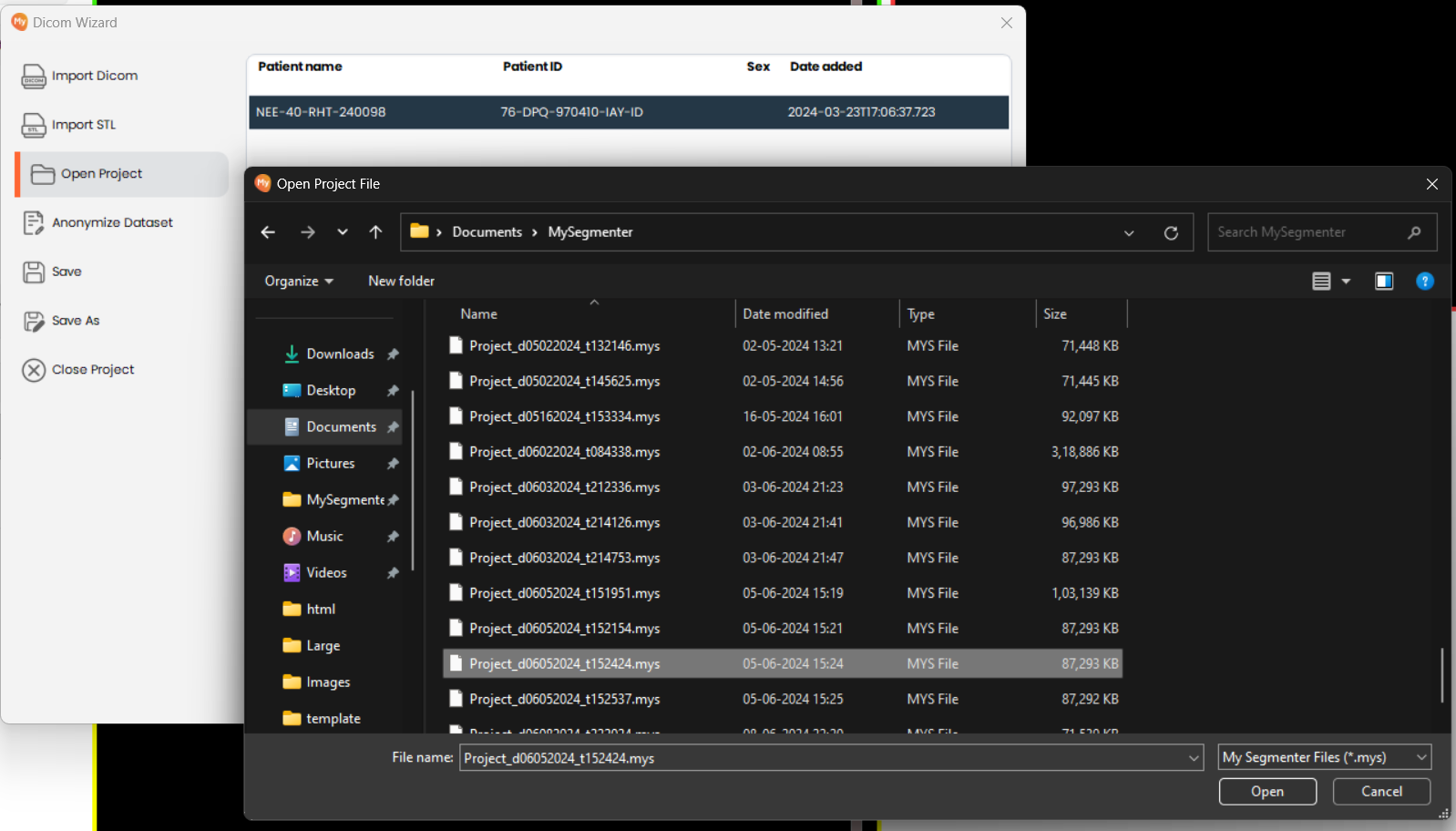
- Navigate to and select the project file you wish to open. MySegmenter project files use the software's proprietary file format.
If Project Already Loaded
-
Prompt to Save Before Closing
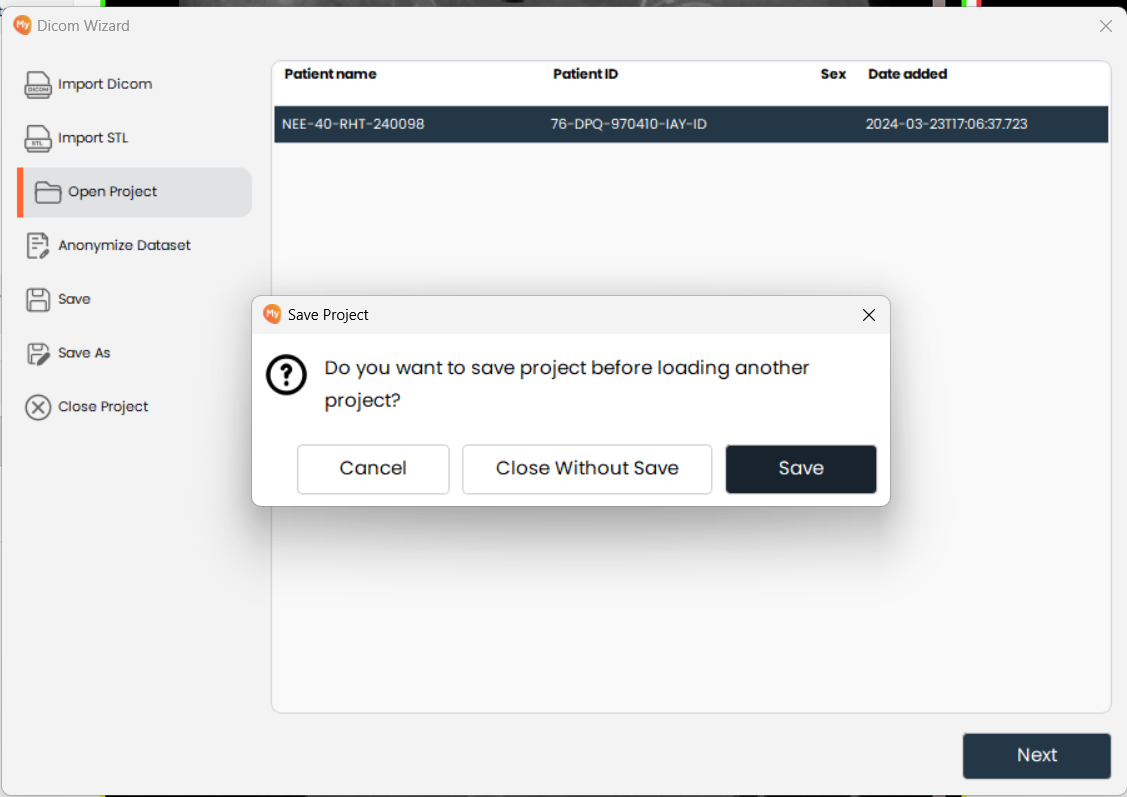
- If a project is already open, MySegmenter will prompt you to save it before loading a new one, preventing any unsaved data from being lost.
-
Select Save or Close Without Saving
- Choose to save the current project, close without saving, or cancel and return to the current project.