Morphological
Perform morphological operations to modify segment shapes.
- The
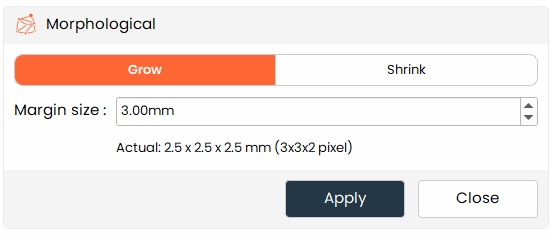
Morphologicaltool allows users to grow or shrink segments, which can be useful for refining the boundaries of segments or for adjusting their size to better fit the intended model.
Steps:
- Choose the
Morphologicaltool from the tools panel. - Choose Grow to expand the segment outward, or Shrink to contract it inward.
- Enter the margin distance in millimeters — the amount the segment boundary will expand or contract.
- Click Apply to update the segment boundaries.
Additional Information
Changing Margin Size
- Enter the margin distance (in mm) in the text box. The corresponding pixel count is shown below for reference.
Morphological Operations
- Grow: Expands the segment by the specified margin size.
- Shrink: Contracts the segment by the specified margin size.